
The Opioid Tool is a software application that connects with athenaClinicals® to support opioid prescribing practices at the point-of-care.
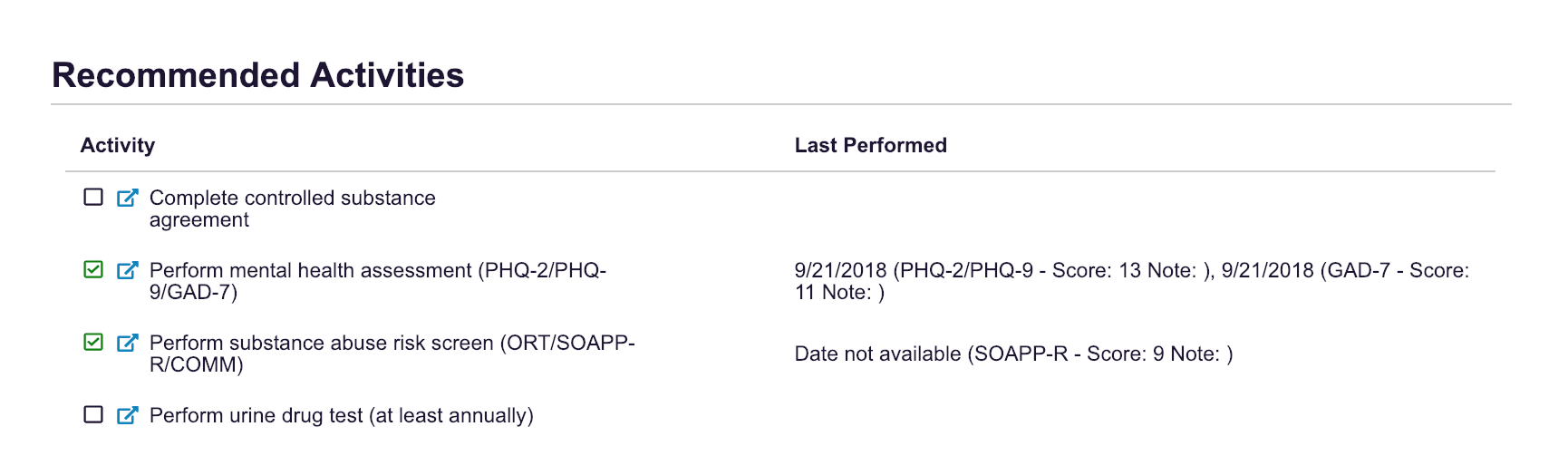
1) Recommended Activities
Provides an updated checklist of required screening elements for patients receiving opioid treatment
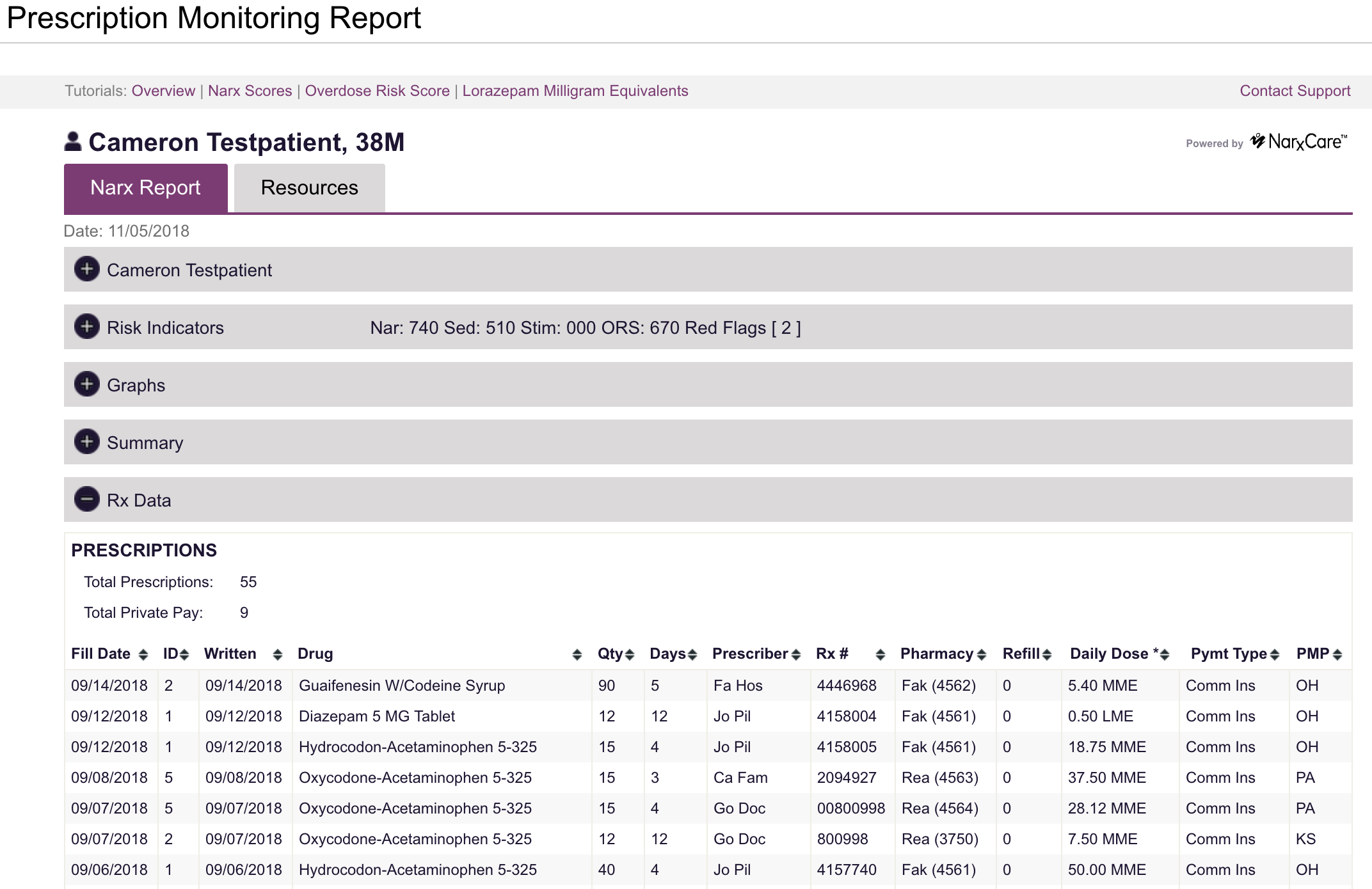
2) Prescription Drug Monitoring Program (PDMP) Report
Displays the PDMP report (e.g. INSPECT) for provider accounts.
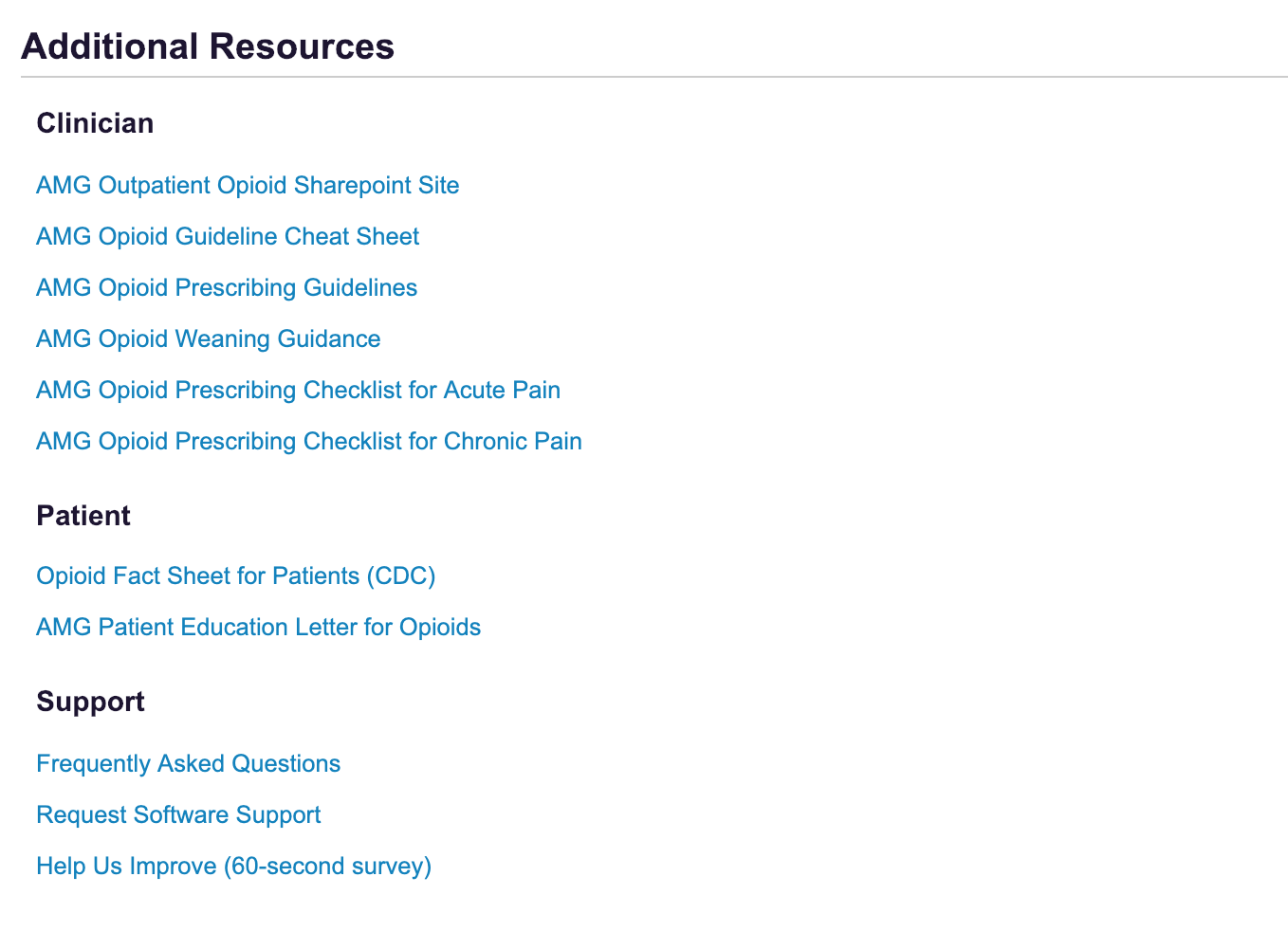
3) Additional Resources
Includes access to patient and prescriber resources to support responsible prescribing (e.g. organizational guidelines, patient treatment agreements, safe medication storage resources, etc.)
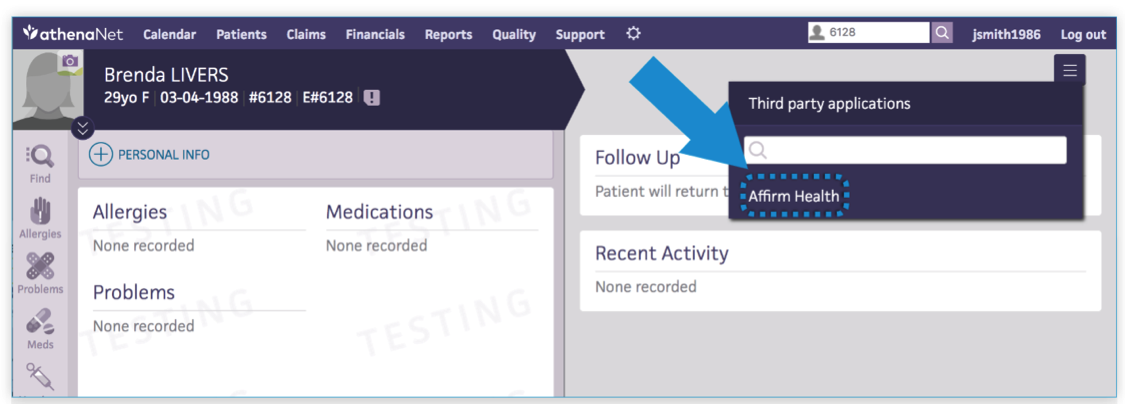
Clinicians can access the Opioid Tool by navigating the following steps:
Step 1: Go to Patient Chart in athenaClinicals®
Step 2: Link to AffirmHealth via the "hamburger menu" on the top right > Third party applications > AffirmHealth
Once the Opioid Tool has been reviewed, a Clinical Document version is automatically uploaded to the Patient Chart, and can be viewed in the Recent Activity section.
Still need help? Please contact us via Project Prescribe support.