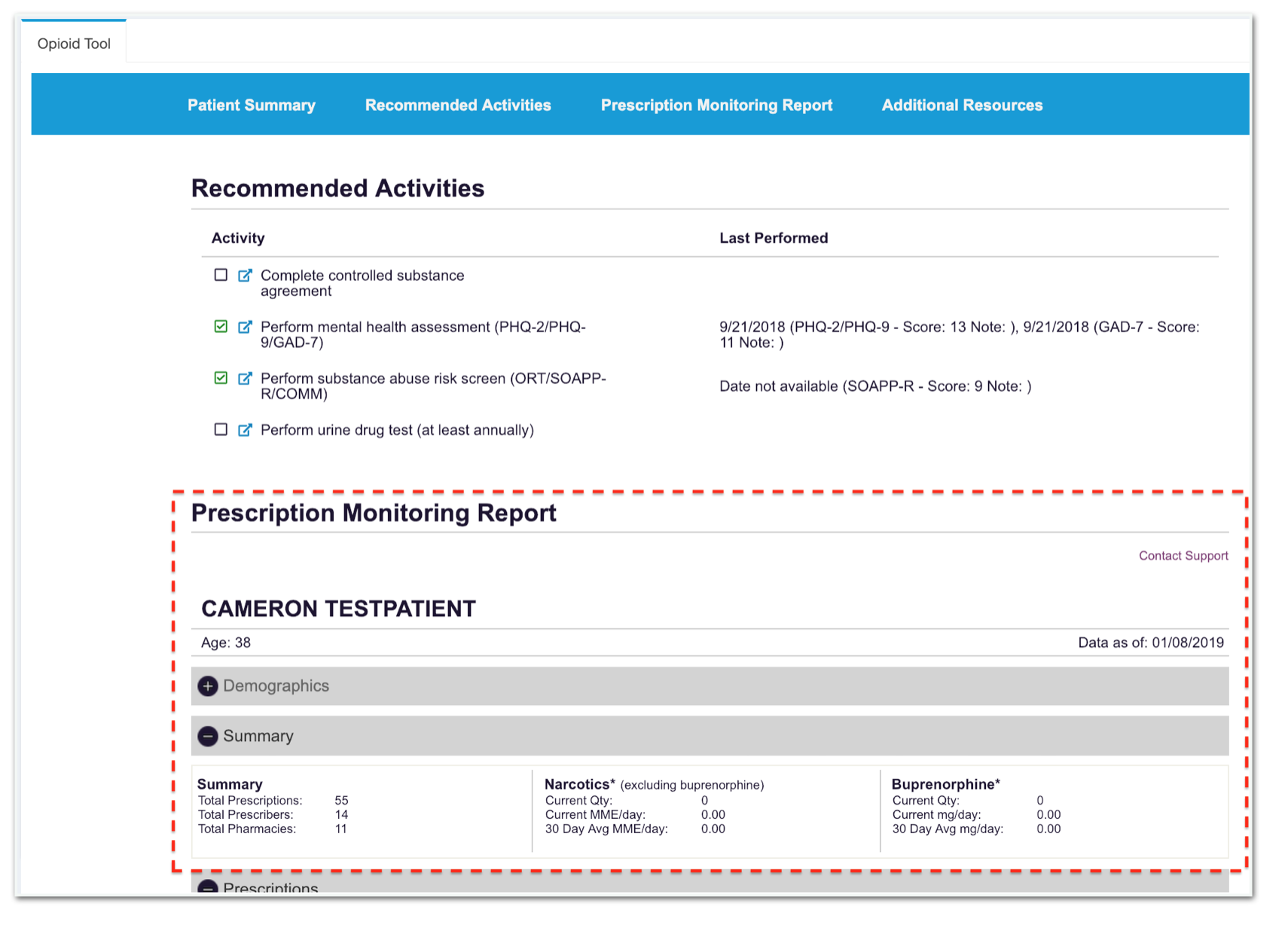
Prescription Monitoring Reports appear on the Opioid Tool just below the Recommended Activities section.
If a DEA number is not connected to the account you will receive the following message:

To setup your PDMP report, complete the following steps to manage your DEA credentials:
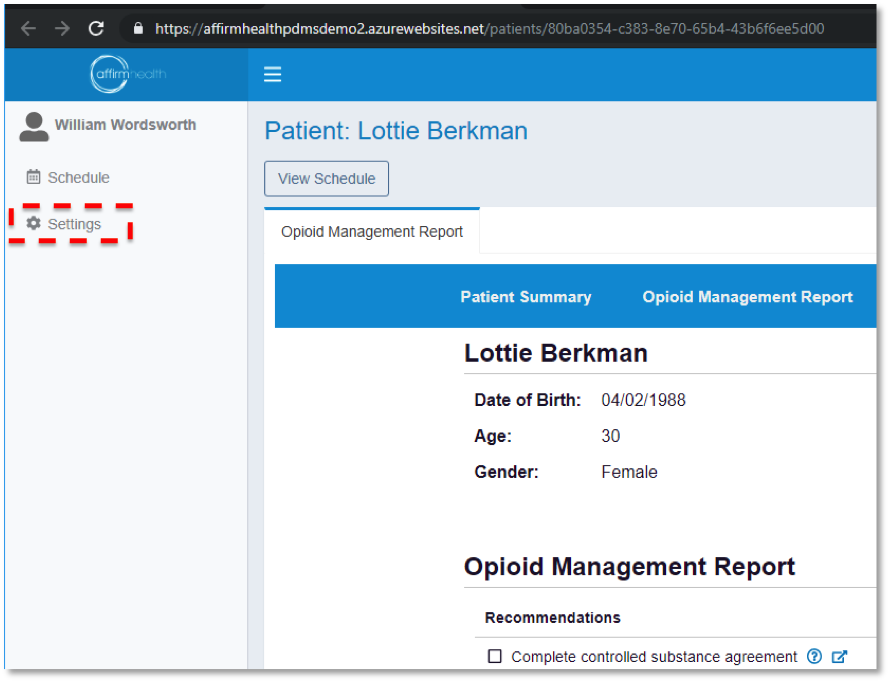
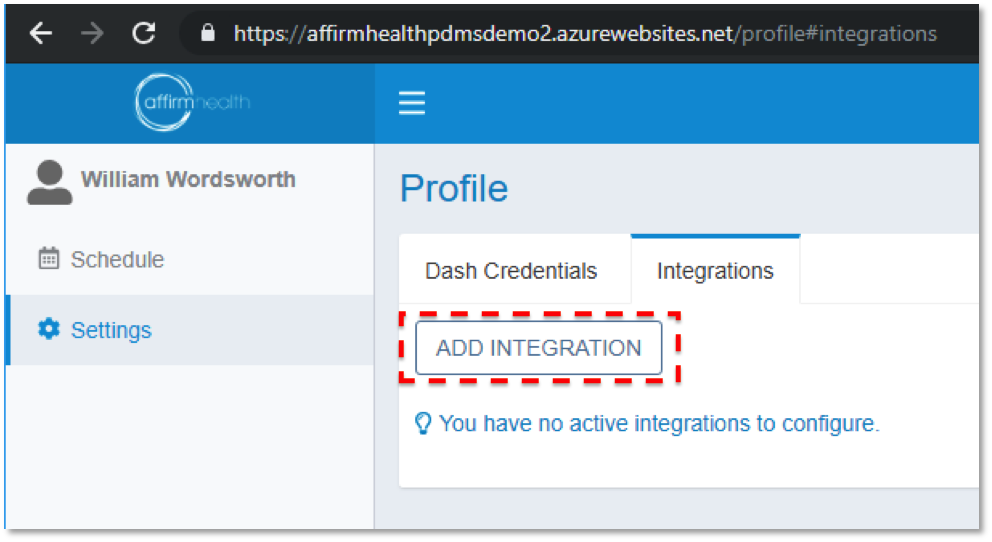
Step 1: Click the Settings link on the left side of your screen
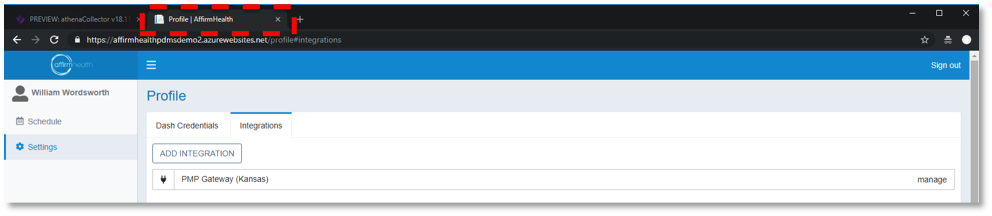
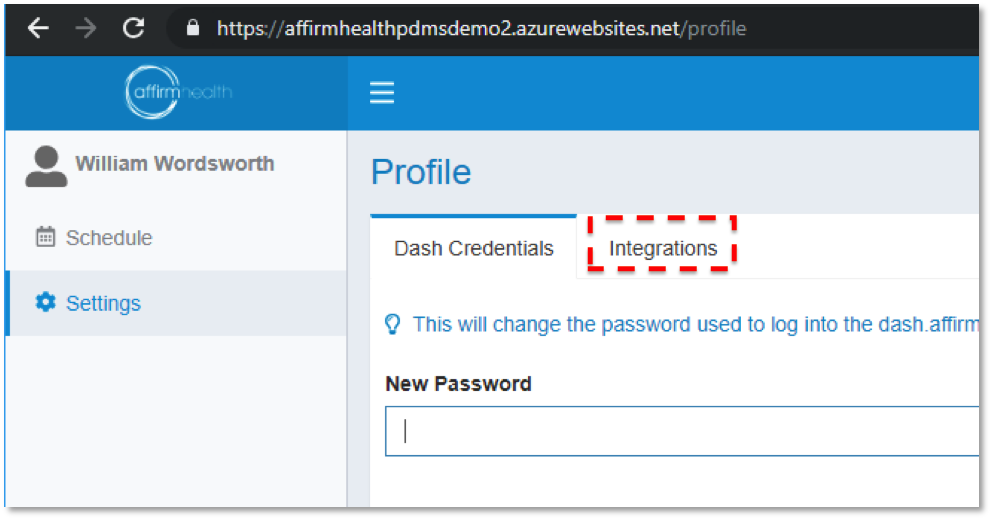
Step 2: Click the Integrations tab. If no Integration appears, click the the Add Integration button. If PMP Gateway appears as an integration, click the Manage link
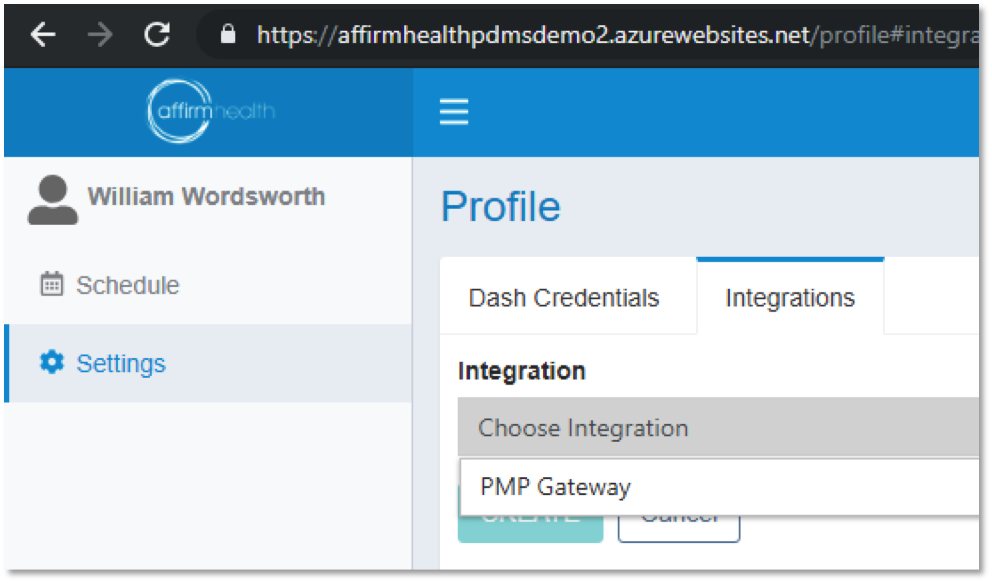
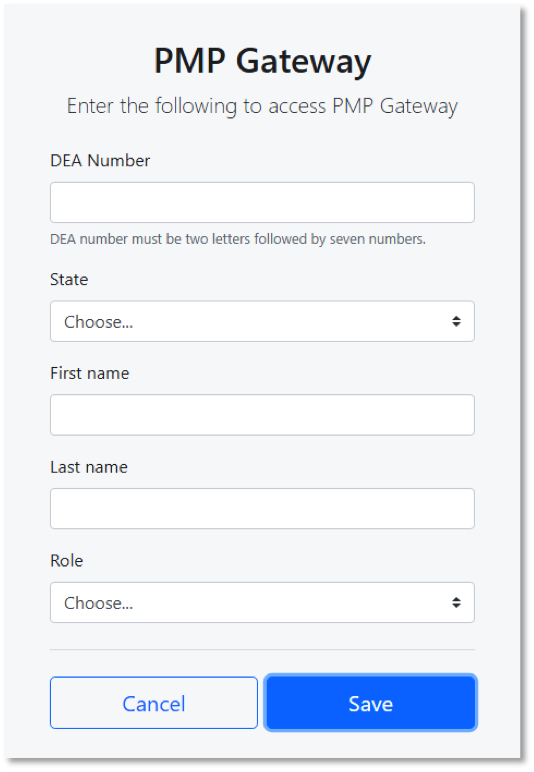
Step 3: Choose PMP Gateway from the dropdown menu, fill out the PMP Gateway integration menu with your DEA credentials, and click the Save button
At this point, you've completed your PMP Gateway integration and can close the browser tab or window.